 Kratosgado
Back to Projects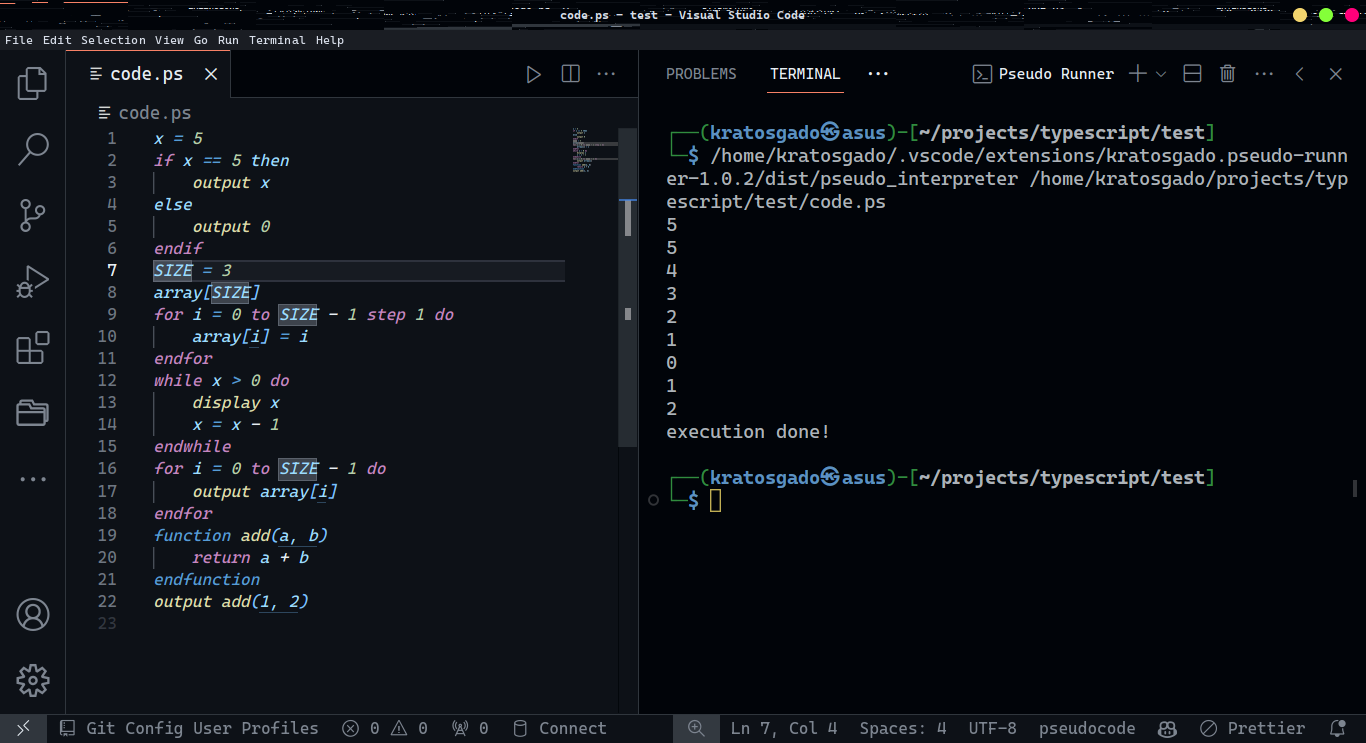

Pseudo Runner
A VS Code extension that runs pseudo code files directly in the editor.
TypeScriptVS Code Extension
Overview
Pseudo Runner is a VS Code extension that allows you to write and execute pseudo code directly within the editor. It provides syntax highlighting, code execution, and output display all in one place.
Features
- Syntax Highlighting: Full pseudo code syntax support
- In-Editor Execution: Run your pseudo code without leaving VS Code
- Output Panel: See execution results in a dedicated output panel
- Error Reporting: Clear error messages with line numbers
How It Works
The extension registers a custom language mode for .pseudo files and provides a built-in interpreter that parses and executes the code. Results are displayed in the VS Code output panel.
Getting Started
- Install the extension from the VS Code Marketplace
- Create a new file with the
.pseudoextension - Write your pseudo code
- Press
Ctrl+Shift+Pand run "Pseudo Runner: Execute"
Screenshots